TIMEMORE Black Mirror DOT Coffee Scale – 0.1 g – Bluetooth – Ultra Compact
Try it out at amsterdam Coffee Lab in Weesp - try before you buy
⚖️ A Coffee Scale Small Enough to Actually Take With You
The TIMEMORE Black Mirror DOT takes the idea of a coffee scale in a completely different direction.
Instead of adding:
📱 another screen
🔘 more buttons
📦 more bulk
Timemore removed the display entirely.
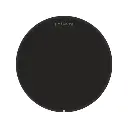
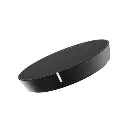
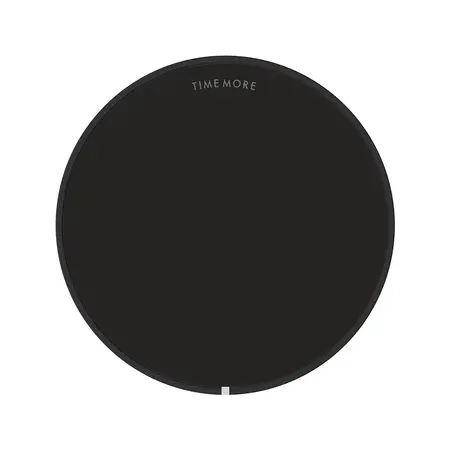
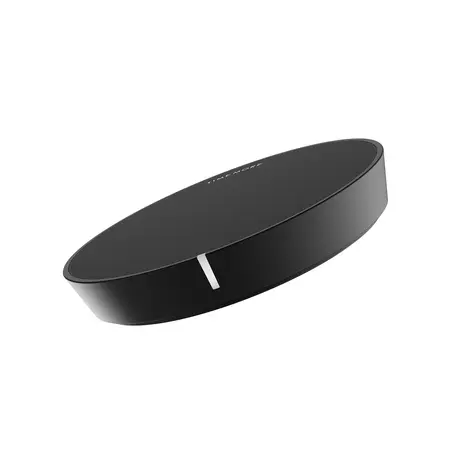
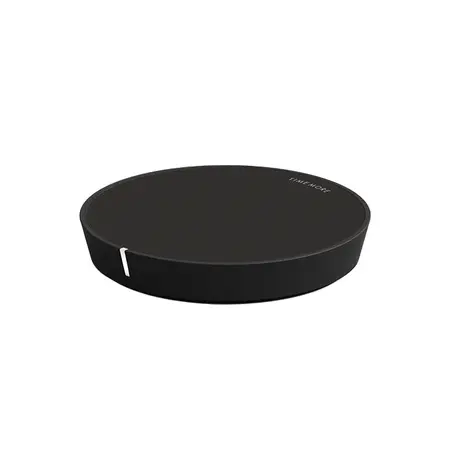
The result is an ultra-compact coffee scale measuring only:
80 × 80 × 14 mm
and weighing just:
50 g
without its silicone mat.
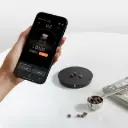
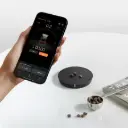
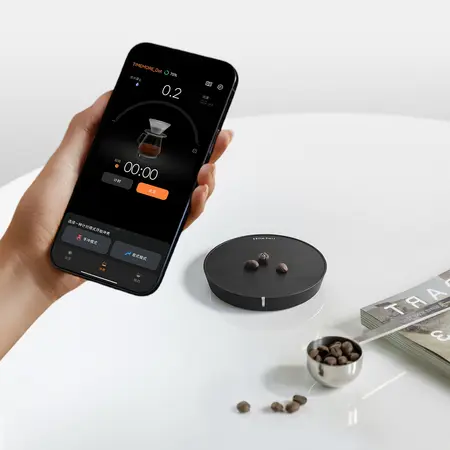
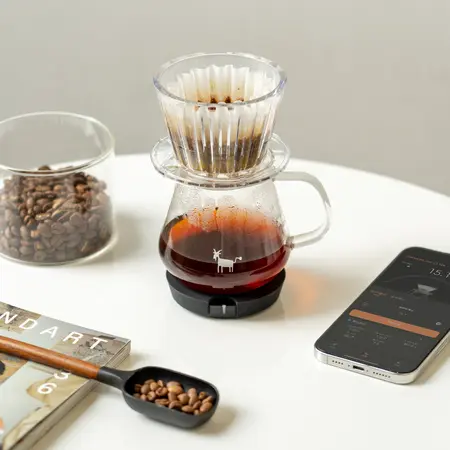
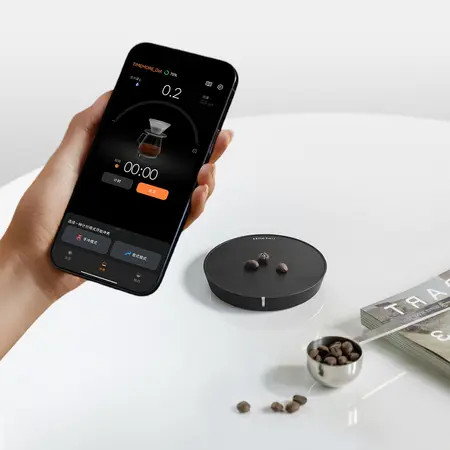
Your smartphone becomes the display through the TIMEMORE app, giving you access to:
⚖️ Live weight
⏱️ Brewing time
💧 Real-time Flow Rate
📈 Pour curves
📝 Brew history
☕ Pour-over mode
☕ Espresso mode
📚 Saved recipes
All from a scale small enough to disappear into a travel coffee kit. Dot does conncet with beanstats and Beanconqueror.
Beanstats: Has direct native Bluetooth support for the Timemore Black Mirror Dot. It handles live weight streaming, real-time flow rate tracking, remote taring, and auto-timer features directly from the Dot.
Beanconqueror (Open Protocol Integrations): Third-party apps like Beanconqueror connect using open BLE scale protocols or reverse-engineered Timemore Bluetooth profiles.
📋 Quick Menu
- ⚖️ 0.1 g resolution
- 📦 0.2–1,200 g weighing range
- 📱 App-driven display
- 🔵 Bluetooth 5.2
- 💧 Live flow-rate tracking
- 📈 Real-time brewing curves
- ☕ Pour-over mode
- ☕ Espresso mode
- 📝 Brew-history logging
- 📐 Only 80 × 80 × 14 mm
- 🪶 Just 50 g without silicone mat
-
IPX3 splash resistance
-
1600 mAh rechargeable battery
-
USB-C charging
- 🕒 Approx. 15-hour battery life
- 🎒 Hard travel case included
- 🧲 Grippy silicone mat included
- 🎨 Six colours
- 👃 CoffeeNose workflow tips
- 🫘 WB.coffee coffee pairings
- 🎓 Brewing workshops @ Amsterdam Coffee Lab
📱 No Screen – Your Phone Becomes the Display
This is the feature that defines the DOT.
There is:
no conventional display on the scale.
Instead, the DOT sends live brewing information to your phone using:
Bluetooth 5.2
through the TIMEMORE app.
The app can display:
⚖️ Current weight
⏱️ Time
Flow rate
📈 Pour curve
☕ Brewing mode
📝 Stored brewing data
This allows Timemore to keep the hardware exceptionally small while giving you a much larger, clearer interface on a device you already own.
👃 CoffeeNose – Brilliant Idea or Annoying Idea?
That depends entirely on how you brew.
If you want to:
put a scale under the cup, press tare and brew
without reaching for your phone:
buy a conventional Black Mirror.
If you enjoy:
📊 Brew data
💧 Flow-rate graphs
📝 Recipe logging
📱 App-guided brewing
🎒 Extremely compact equipment
then DOT becomes much more interesting.
This isn't simply:
a smaller normal scale.
It's a different workflow.
And we think that distinction should be clear before you buy it.
⚖️ 0.1 g Resolution
The DOT measures in:
0.1 g increments
with a total weighing range from:
0.2 g to 1,200 g.
That makes it suitable for:
🫘 Coffee doses
☕ Espresso yields
💧 Filter-brew water
✔ AeroPress
💧 V60
🌸 ORIGAMI
🚀 Pulsar
☕ Small servers and cups
🎯 Resolution vs Accuracy
One small but important technical distinction.
Timemore specifies:
Resolution
0.1 g
but that does not mean the scale remains ±0.1 g accurate at every possible load.
Timemore states that DOT is optimised for lighter coffee loads, with its highest precision in the lower part of the range, while maximum-capacity accuracy can deviate more. Their current specification notes up to approximately ±2 g at maximum capacity.
CoffeeNose translation 👃
For:
🫘 15 g coffee
☕ 40 g espresso
💧 250 g filter water
the DOT is operating exactly in the kind of range it was designed for.
For:
🍲 weighing a 1.2 kg saucepan
buy a kitchen scale.
💧 Live Flow-Rate Tracking
This is one of the genuinely useful advantages of using the app.
Instead of only seeing:
total water weight
you can also observe:
how quickly the water is being added.
The TIMEMORE app visualises your pour in real time, including pauses between pours and changes in flow rate.
This is particularly useful when learning:
💧 Pour consistency
⭕ Circular pours
🌀 Agitation control
⏱️ Pulse timing
📊 Recipe repeatability
👃 Why Flow Rate Matters
Imagine both brews use:
250 g total water.
But:
Brew A
250 g poured aggressively in a short burst
versus:
Brew B
250 g delivered slowly and deliberately.
Same total water.
Completely different interaction with the coffee bed.
Flow rate changes:
🌀 Agitation
💧 Bed movement
⏱️ Contact time
☕ Extraction dynamics
The DOT makes that variable visible.
📈 See Your Pour as a Curve
Every pour has a shape.
Timemore lets you see that shape inside the app.
You can identify:
💧 Fast pours
⏸️ Pauses
📉 Slower phases
📈 Sudden flow increases
and compare a successful brew against the next one.
That's much more useful than simply remembering:
“I think I poured roughly the same way.”
📝 Brew History
Your brews can be saved inside the Timemore ecosystem so you can revisit what happened when a coffee worked particularly well.
For example:
Coffee
Kenya washed
Dose
15.0 g
Water
250 g
Temperature
94°C
Grind
your recorded setting
Total time
2:45
Flow pattern
stored in the app.
That turns:
“Yesterday's cup was better.”
into something you can actually investigate.
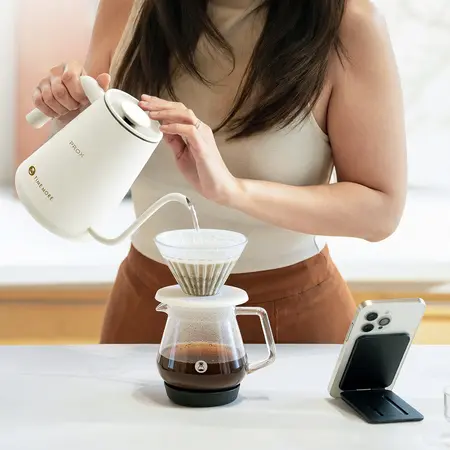
☕ Pour-Over Mode
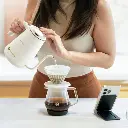
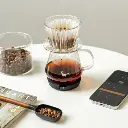
DOT has dedicated support for pour-over brewing through the TIMEMORE app.
Use it with:
💧 Hario V60
🌸 ORIGAMI
Hario Switch
🚀 NextLevel Pulsar
🔷 Timemore Crystal Eye
☕ Small flat-bottom brewers
and monitor:
⚖️ Weight
⏱️ Time
Flow rate
in one interface.
Espresso Mode
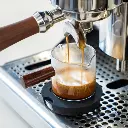
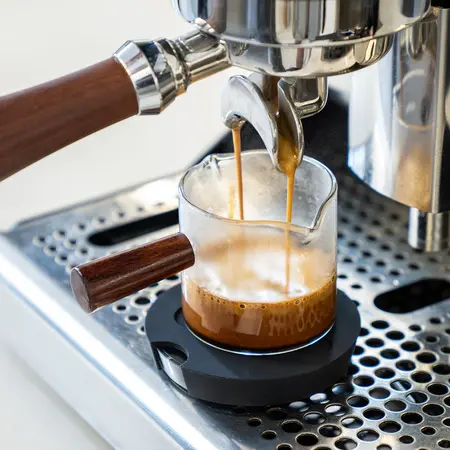
Despite its tiny size, DOT is great for:
espresso.
Timemore's app includes a dedicated espresso mode, while the small 80 mm footprint means it can fit under many espresso-machine cup areas more easily than larger filter scales.
Track:
🫘 Dose in
and:
☕ Yield out
alongside:
⏱️ shot time.
👃 CoffeeNose – Is DOT an Espresso Scale?
Yes, seeing the flow profile in a live graph and being able to look back at it when you taste or adjust your recipe adds another level. Perfect when you use pressure profiling or flow profiling!
But we would primarily buy it because you want:
📱 App integration
📝 Data logging
🎒 Portability
rather than simply because it is small.
If your espresso workflow is:
cup → tare → brew → stop
a scale with its own built-in display is arguably faster.
If you enjoy tracking extraction data in an app, DOT offers something different.
📐 Tiny Footprint
Dimensions:
80 × 80 × 14 mm
That's barely larger than the base of many coffee cups.
Timemore deliberately chose the round platform so that most coffee equipment naturally sits close to the centre of the load cell.
This makes DOT especially useful underneath:
☕ Espresso cups
✔ AeroPress
💧 Compact drippers
🎒 Travel brewers
where counter space is limited.
🪶 50 Gram Scale
The DOT itself weighs only:
50 g
or approximately:
77 g with the silicone mat fitted.
For travel coffee, that's impressive.
Your bag will probably contain more weight in:
coffee beans
than in:
the scale.
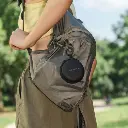
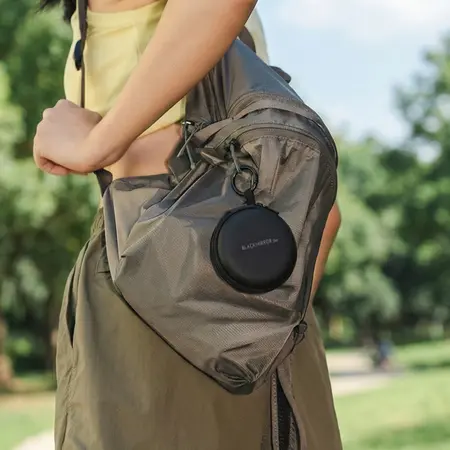
🎒 Hard Travel Case Included
Timemore includes a dedicated protective travel case.
The case also provides:
🔌 Space for charging cable
🎒 Carabiner-ready attachment loop
🛡️ Protection against other equipment in your bag.
This makes the DOT a much more convincing travel product than a small scale supplied loose in a cardboard box.
🧲 Silicone Mat Included
A colour-matched silicone mat sits on top of the weighing platform.
It helps provide:
🖐️ Grip
☕ More stable cup placement
💦 Splash protection
🛡️ A removable protective surface
and includes finger holds that make the tiny scale easier to lift.
💦 IPX3 Splash Resistant
Coffee brewing involves water.
Sometimes more of it lands on the scale than intended.
DOT is rated:
IPX3
for resistance against sprays and splashes.
Important
That does not mean:
❌ Waterproof
❌ Submersible
❌ Rinse it under the tap
Timemore explicitly says:
do not soak or rinse directly.
Wipe it clean.
Don't wash it like a plate.
🔋 300 mAh Rechargeable Battery
Inside is a:
300 mAh lithium-ion battery
with approximately:
15 hours of use
or around:
180 five-minute brews
on one charge under Timemore's testing conditions.
That's potentially months between charges for a normal home brewer.
⚡ USB-C Charging
DOT charges through:
USB-C
with approximately:
2.5 hours
required for a full recharge.
Timemore specifies using:
5 V / 1–2 A
and explicitly states that DOT does not support fast charging.
🔘 One Button
The physical interface is deliberately minimal.
Underneath the scale you'll find:
one button
and:
the USB-C port.
Press to power on.
Hold to pair.
Everything else happens through the app.
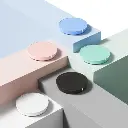
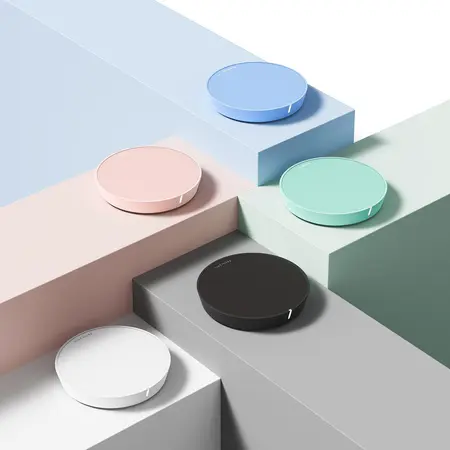
🎨 Six Colours
Timemore currently offers the Black Mirror DOT in:
⚫ Black
⚪ White
🟢 Green
🌸 Pink
🔵 Blue
🟡 Yellow.
Each is supplied with a coordinating silicone mat and corresponding travel-case configuration.
Finally:
a coffee scale that doesn't automatically have to be:
black,
white,
or brushed stainless steel.
🆚 Black Mirror DOT vs Black Mirror Mini
These two scales can both fit into compact espresso setups, but they have very different philosophies.
⚫ Black Mirror DOT
Choose it for:
🎒 Maximum portability
📱 App interface
📈 Live flow curves
📝 Brew history
🔵 Bluetooth
🪶 Ultra-low weight
Trade-off:
❌ No built-in display
📱 Phone required
◼️ Black Mirror Mini
Choose it for:
👀 Built-in scale display
☕ Fast standalone espresso use
💧 Standalone pour-over modes
🔘 More conventional operation
Trade-off:
📦 Larger
📱 Less dependent on app-driven workflow.
👃 CoffeeNose Choice
Want to travel?
DOT.
Want a standalone everyday espresso scale?
Mini.
Want brewing data and graphs?
DOT.
Hate needing your phone to make coffee?
Not DOT.
Simple.
⚙️ Timemore Hand Grinder
The DOT makes a great companion to a Timemore hand grinder.
Combine:
⚙️ Chestnut grinder
⚖️ DOT
💧 Compact brewer
🫖 Travel kettle
🫘 Fresh coffee
and you have a very capable specialty-coffee kit that fits in a surprisingly small bag.
🫖 Timemore Fish Kettle
A scale can tell you:
how much water you're pouring.
A proper kettle gives you control over:
how that water gets there.
Combine DOT with a Timemore Fish gooseneck kettle for better:
💧 Flow control
⭕ Circular pours
🎯 Water placement
🌀 Agitation control.
For an extremely lightweight travel setup, pair the DOT with the Hario V60 Drip Kettle AIR.
Now you have:
⚖️ 50 g scale
💧 lightweight pouring kettle
☕ compact brewer
⚙️ hand grinder
without carrying a large electronic kettle or heavy coffee scale.
🌀 Great with AeroPress
The compact platform also works beautifully with:
AeroPress
Use the app to track:
🫘 Coffee dose
💧 Water
⏱️ Steep time
and save recipes for future use.
Particularly useful when experimenting with competition-style AeroPress brewing where tiny changes in:
⚖️ ratio
🌡️ temperature
⏱️ time
can significantly change the cup.
Want a versatile coffee while learning flow-rate control?
Try:
FJ – Fruity & Juicy
as a filter brew.
Track:
⚖️ 15 g coffee
💧 250 g water
📈 Your pour curve
and experiment with slower versus faster delivery.
Taste the result.
Use DOT's flow data to work with something more delicate:
FF – Fruity & Floral
Try reducing aggressive agitation and compare:
🌸 Aroma
🍑 Fruit
🍯 Sweetness
🍋 Acidity
between pours.
🌍 Single-Origin Coffee
DOT becomes more interesting when you're brewing coffees worth taking notes on.
Try it with:
🍓 Kenya Currant Crush
🌸 Ethiopia Guji Majesty
💎 Guatemala Geisha – Finca Inferno
🍊 Fernando Díaz Orange Bourbon
🍍 Pineapple Express
🌍 Changing WB.coffee microlots.
When you find a recipe that works:
save it.
That's the point of collecting data.
Numbers become much more useful when you understand what they represent.
During Pour ’n Drip at Amsterdam Coffee Lab in Weesp, explore:
⚖️ Brew ratios
⚙️ Grind size
Flow rate
🌀 Agitation
🌡️ Temperature
⏱️ Contact time
📄 Filter paper
👅 Extraction and flavour.
DOT can show you the pour curve.
The workshop teaches you:
why it matters.
🎓 Press It Real Good – AeroPress
Using DOT with AeroPress?
Join:
Press It Real Good
and experiment with:
⚖️ Coffee dose
💧 Water
🌡️ Temperature
⏱️ Immersion time
🌀 Agitation
⚙️ Grind
while recording repeatable recipes.
Perfect For
The TIMEMORE Black Mirror DOT is especially suited to:
✔️ Travelling coffee lovers
✔️ Pour-over geeks
✔️ Espresso users wanting an ultra-small scale
✔️ AeroPress brewing
✔️ Data-driven brewers
✔️ Flow-rate experimentation
✔️ Coffee competitions
✔️ Coffee trainers
✔️ Recipe logging
✔️ People already happy to use their phone while brewing
✔️ Anyone wanting the smallest possible serious coffee scale
🔧 Technical Specifications
Product: TIMEMORE Black Mirror DOT Coffee Weighing Platform
Resolution: 0.1 g
Minimum load: 0.2 g
Maximum load: 1,200 g
Dimensions: 80 × 80 × 14 mm
Device weight: 50 g
Weight with silicone mat: Approx. 77 g
Connectivity: Bluetooth 5.2
Display: No built-in display – TIMEMORE app required
Compatibility: iOS / Android
Battery: 300 mAh lithium-ion
Battery life: Approx. 15 hours / 180 five-minute brews
Charge time: Approx. 2.5 hours
Charging: USB-C, 5 V / 1–2 A
Fast charging: No
Water resistance: IPX3
Materials: PC, ABS, silicone
Included: Silicone mat + custom hard travel case
Colours: Black, White, Green, Pink, Blue, Yellow.
❤️ Why We Like It at WB.coffee
The DOT is a strange product.
And we mean that positively.
Most manufacturers would have made:
another small coffee scale with a smaller screen.
Timemore instead asked:
what if the screen isn't necessary at all?
That gives the DOT some genuine advantages:
🪶 50 g
📐 14 mm thick
🎒 Properly travel-friendly
📊 Much richer data on your phone
💧 Live flow-rate tracking.
But there is a genuine trade-off:
your phone is part of the brewing setup.
We appreciate that Timemore didn't try to hide this.
Their own current product information explicitly states that the app is required because the DOT has no screen.
CoffeeNose verdict 👃
For the person who says:
“I want the smallest serious scale possible and I like brewing data.”
the DOT is brilliant.
For the person who says:
“I don't want to unlock my phone before making coffee.”
buy another Black Mirror.
There is no universally best coffee scale.
There is only the one that fits your actual workflow.
📍 TIMEMORE & Specialty Coffee in Weesp
At WB.coffee / Amsterdam Coffee Lab in Weesp, combine your TIMEMORE DOT with:
⚙️ TIMEMORE hand & electric grinders
💧 Filter brewers
🫖 Pouring kettles
✔ AeroPress
📄 Premium coffee filters
💧 Coffee-water tools
🫘 Fresh WB.coffee blends & single origins
🎓 Filter & AeroPress workshops
👅 Coffee tastings & sensory experiences
🥡 Specialty coffee from the tasting menu @ Amsterdam Coffee Lab
Track the numbers.
Understand the variables.
Then put the phone down and taste the coffee.